Joining Your Video Consultation
What Do I Need?
• A device with a camera, microphone, and speaker e.g. a smartphone, tablet, or computer.
• A stable internet connection: Wi-Fi, wired (ethernet cable), or mobile data
• A supported internet browser such as Google Chrome, Apple Safari, Firefox or Microsoft Edge.
How do I attend my Appointment?
Your provider will send you an invite via SMS, email, or letter, with a link that will take you directly to the platform. Alternatively there may also be a button on your providers website, each of these options have process for accessing your video consultation as detailed below:
- Click the link provided or select the button on your provider's website. If you have received your invitation via a letter, you will need to copy the link provided into your browsers search bar.
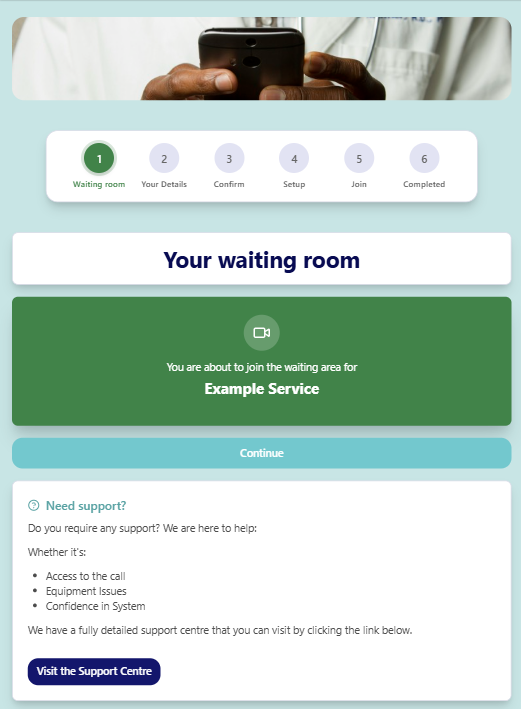
- You will then be presented with the below webpage, here you can confirm that the name of the waiting room matches the details within your invitation and access links to the support centre and terms and conditions. When ready you can click 'Continue' to move on to the next step.
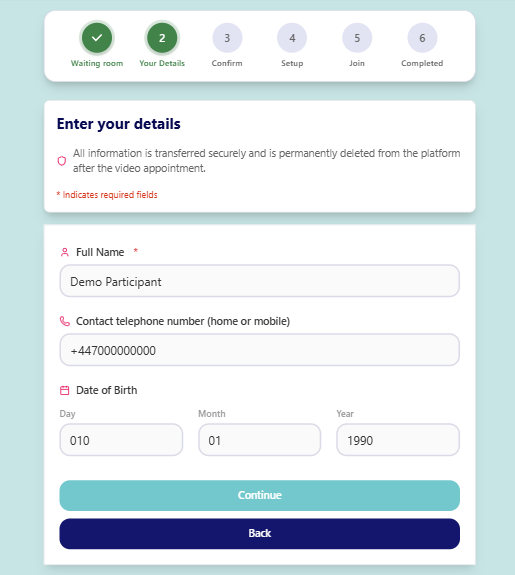
- Once you have clicked 'Continue' you will be prompted to enter your name along with any other information requested by your provider. Once you have completed all fields, select 'Continue'
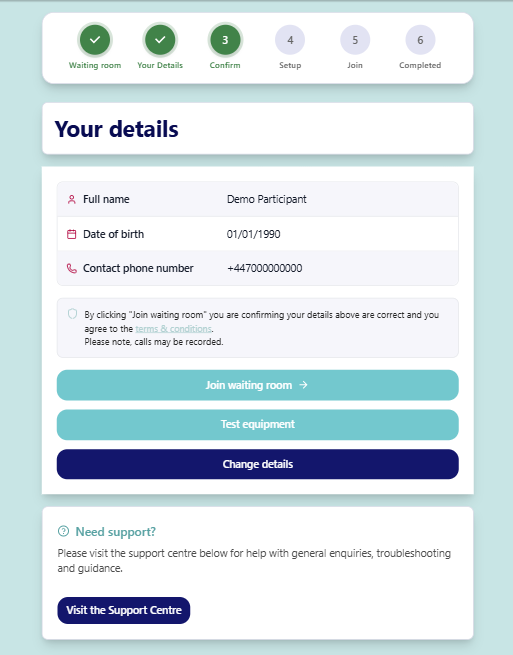
- Next you will be asked to review the details entered and complete a short equipment test (Please see 'Equipment and Connection Test' for additional information on this step) before selecting the 'Join waiting room' button.
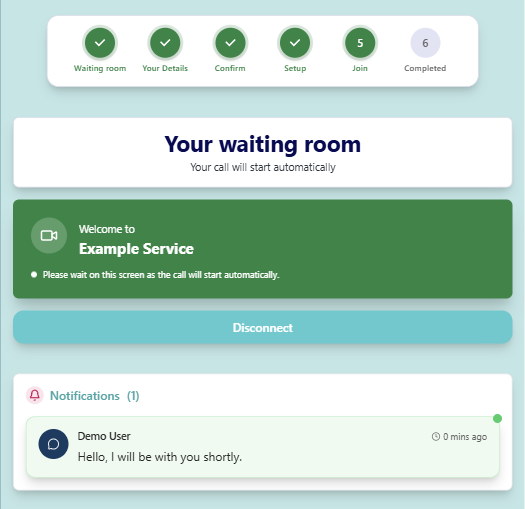
- After selecting 'Join waiting room' you will be presented with this screen. You have now successfully joined the waiting room, your provider will start the video consultation from their end and you will automatically be pulled through to the live call window.
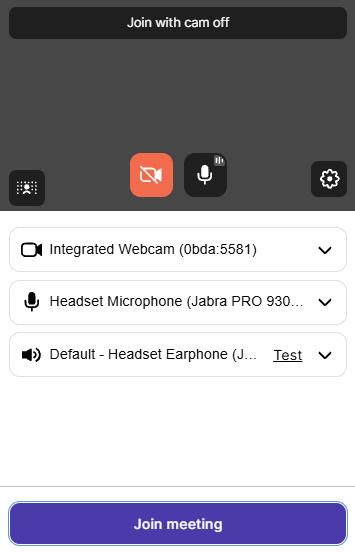
- The final step is to confirm that the camera, microphone and headset selected are correct and click the Join Meeting button.
What do I do if something is not working?
No camera image – Check that browser permissions were enabled. If using a USB camera, try unplugging and reconnecting it.
No audio – Check that volume is not too low and that permissions were enabled.
Poor connection quality – If using Wi-Fi, try disconnecting and reconnecting, or switch to a different network. If on mobile data, move to an area with stronger signal if possible.
Slow platform response – Try restarting your device or clearing your browser cache.
For further help, visit the interactive trouble-shooter in the Support Centre, accessible during the joining process or from within the waiting room.